Wireless connection area (Wi-Fi) where you can access the internet is available throughout the campus in the Library, Faculties, and common social areas.
You can connect to this connection area with your university email account.
For connection from phone;
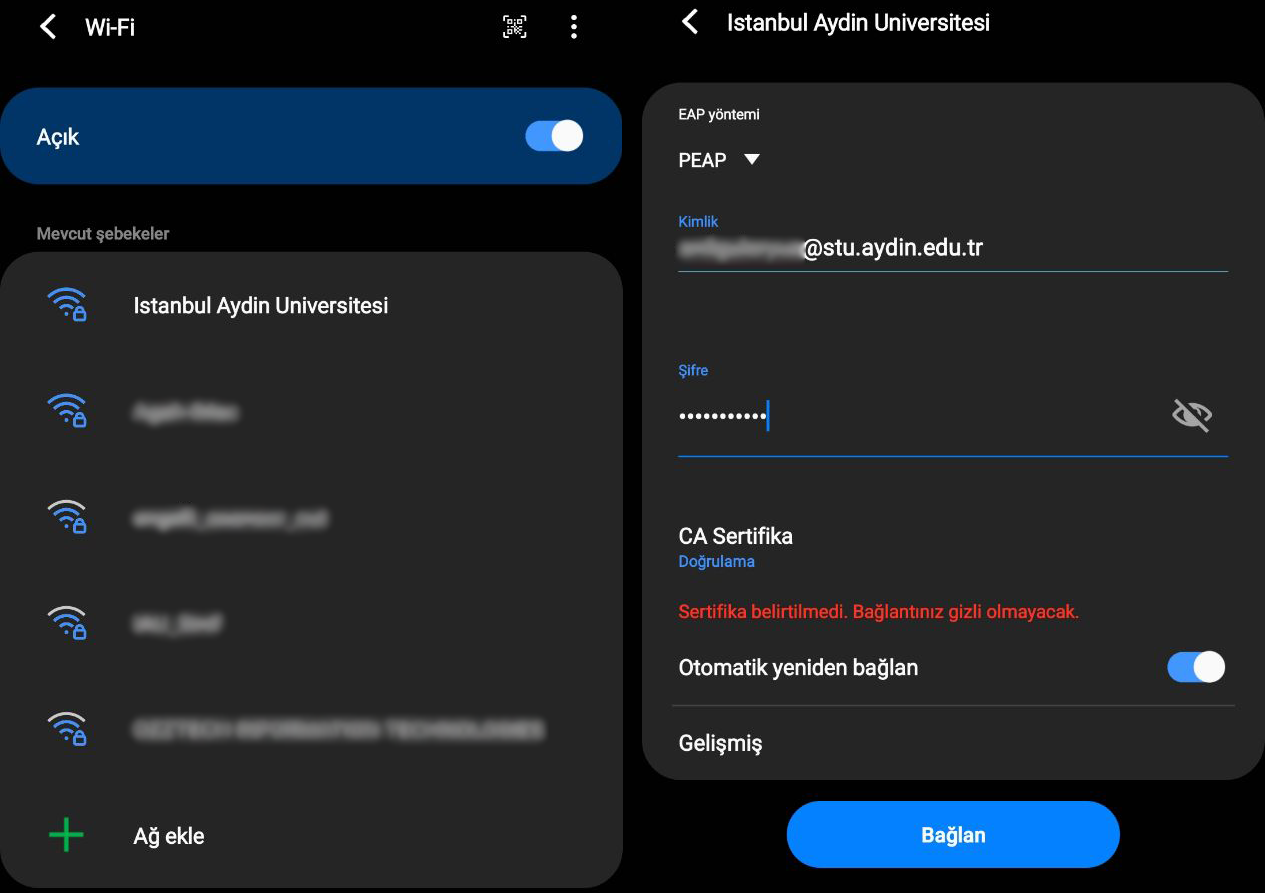
Make sure your connection settings are as shown in the image.
EAP Method: PEAP
Identity: Your UBIS Username @stu.aydin.edu.tr
Password: Your UBIS Password
CA Certificate: Validate
For connection from computer;
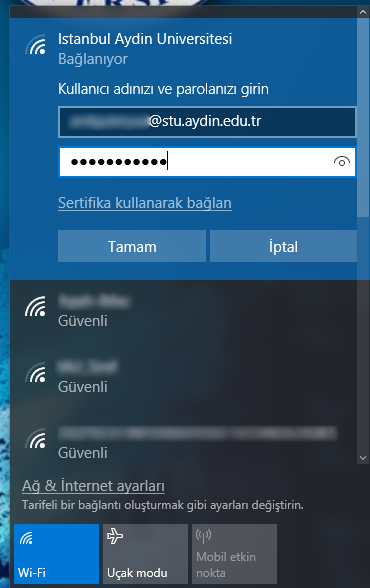
To avoid problems with your Wi-Fi connection, it is recommended to use an up-to-date operating system.
Identity: Your UBIS Username @stu.aydin.edu.tr
Password: Your UBIS Password
If you are experiencing issues with Wi-Fi connection, you can get support from the Information Technology Technical Support office at Block D, entrance floor, room 2203.